


Introduction
If you’ve ever played Minecraft, you already know that automation makes life much easier. Instead of manually moving items from one chest to another, you can let the game do the work for you. That’s exactly where hoppers come in.
So, how do you use hoppers in Minecraft? In simple terms, a hopper is a block that automatically moves items between containers. Think of it like a conveyor belt in a factory—it quietly transports items from one place to another without you lifting a finger.
Whether you’re building a storage system, an automatic farm, or a redstone machine, hoppers are essential tools. In this guide, we’ll break everything down in simple language so even beginners can understand and start using them right away.
What Is a Hopper in Minecraft?
A hopper is a special block that collects and transfers items automatically.
When placed correctly, it can:
-
Pull items from containers above it
-
Collect dropped items from the ground
-
Push items into containers connected to it
Think of a hopper like a funnel. Just as a kitchen funnel directs liquid into a bottle, a hopper directs items into another block.
This makes it extremely useful for automation.
Why Hoppers Are Important in the Game

You might wonder: Why should I bother using hoppers?
Here’s why players rely on them:
-
Automation – Move items without manual effort
-
Storage systems – Organize items automatically
-
Farm efficiency – Collect crops or mob drops
-
Redstone builds – Power complex machines
Without hoppers, large builds become tedious and time-consuming.
Simply put, hoppers turn your world into a smart system instead of a manual one.
How to Craft a Hopper
Before you can use a hopper, you need to craft one.
Required Materials
You need:
-
5 Iron Ingots
-
1 Chest
Crafting Recipe
Place them in the crafting grid like this:
-
Iron ingots in a V shape
-
Chest in the center
This recipe will give you one hopper.
Because iron is required, early-game players may need to mine a bit before crafting multiple hoppers.
Basic Controls: Placing a Hopper
Learning how do you use hoppers in Minecraft starts with placement.
How to Place It
-
Select the hopper in your hotbar
-
Look at the block where you want items to go
-
Hold Shift while placing
Holding shift is important because it prevents opening containers like chests.
Direction Matters
The hopper’s spout (the pipe) shows where items will move.
Items always travel toward the spout direction.
Moving Items Between Containers
One of the simplest uses of a hopper is transferring items between containers.
Example:
-
Chest on top
-
Hopper below
-
Another chest under the hopper
Items will automatically move from the top chest → hopper → bottom chest.
You don’t need to press anything. The process happens automatically.
Using Hoppers With Chests
Chests and hoppers are the most common combination.
Basic Setup
-
Place a chest
-
Place a hopper facing into it
-
Drop items into the hopper
The items will instantly move into the chest.
Storage Automation
Players often create:
-
Large storage rooms
-
Auto-sorting systems
-
Item collection systems
Using hoppers with chests makes storage incredibly efficient.
Connecting Hoppers to Furnaces
Hoppers can automate furnaces completely.
Simple Furnace Automation
You need three hoppers:
-
Top hopper → Input items (ores or food)
-
Side hopper → Fuel (coal)
-
Bottom hopper → Collect finished items
Why This Helps
Instead of constantly refilling your furnace, the system works automatically.
It’s like having a self-running kitchen stove.
Hopper Chains and Item Transport

You can connect multiple hoppers together to move items across distances.
How Hopper Chains Work
Each hopper points into the next hopper.
Example flow:
Chest → Hopper → Hopper → Hopper → Chest
Items move along the chain until reaching the final container.
When to Use This
-
Transport items underground
-
Move farm drops to storage
-
Link different rooms together
However, long chains may slow performance slightly.
Automatic Farms With Hoppers
Hoppers are crucial for automatic farms.
Examples include:
-
Mob farms
-
Crop farms
-
Chicken farms
-
Iron farms
How They Help
Hoppers collect drops from mobs or crops and send them directly to storage.
This means you can walk away and still collect resources.
Imagine a farm that keeps harvesting while you explore caves. That’s the power of automation.
Item Sorting Systems
Item sorting is one of the most impressive hopper builds.
What Is an Item Sorter?
It’s a system that automatically separates items into different chests.
For example:
-
Stone → Chest 1
-
Iron → Chest 2
-
Coal → Chest 3
How It Works
Item sorters use:
-
Hoppers
-
Redstone comparators
-
Redstone torches
This setup ensures that each item goes to its correct chest.
Using Hoppers With Redstone
Redstone can control hopper behavior.
In Minecraft, redstone acts like electricity.
Locking a Hopper
If a hopper receives a redstone signal:
-
It becomes locked
-
Items stop moving
Why Locking Helps
It allows players to create:
-
Timers
-
Item counters
-
Redstone clocks
So hoppers aren’t just item movers—they’re part of complex machines.
Hopper Minecarts Explained
Another advanced tool is the hopper minecart.
What It Does
A hopper minecart:
-
Collects items while moving
-
Pulls items through blocks
-
Works in rail systems
Common Uses
Players often use hopper minecarts in:
-
Automatic farms
-
Storage collection systems
-
Item transport railways
They’re faster than normal hopper chains.
Common Mistakes Players Make
Many beginners struggle with hoppers because of simple mistakes.
Mistake #1: Wrong Direction
If the hopper isn’t pointing toward a container, items won’t move.
Mistake #2: Forgetting Shift
Placing without holding shift often opens the chest instead.
Mistake #3: Redstone Locking
Accidentally powering a hopper stops it from working.
Knowing these issues can save a lot of frustration.
Tips to Use Hoppers Efficiently
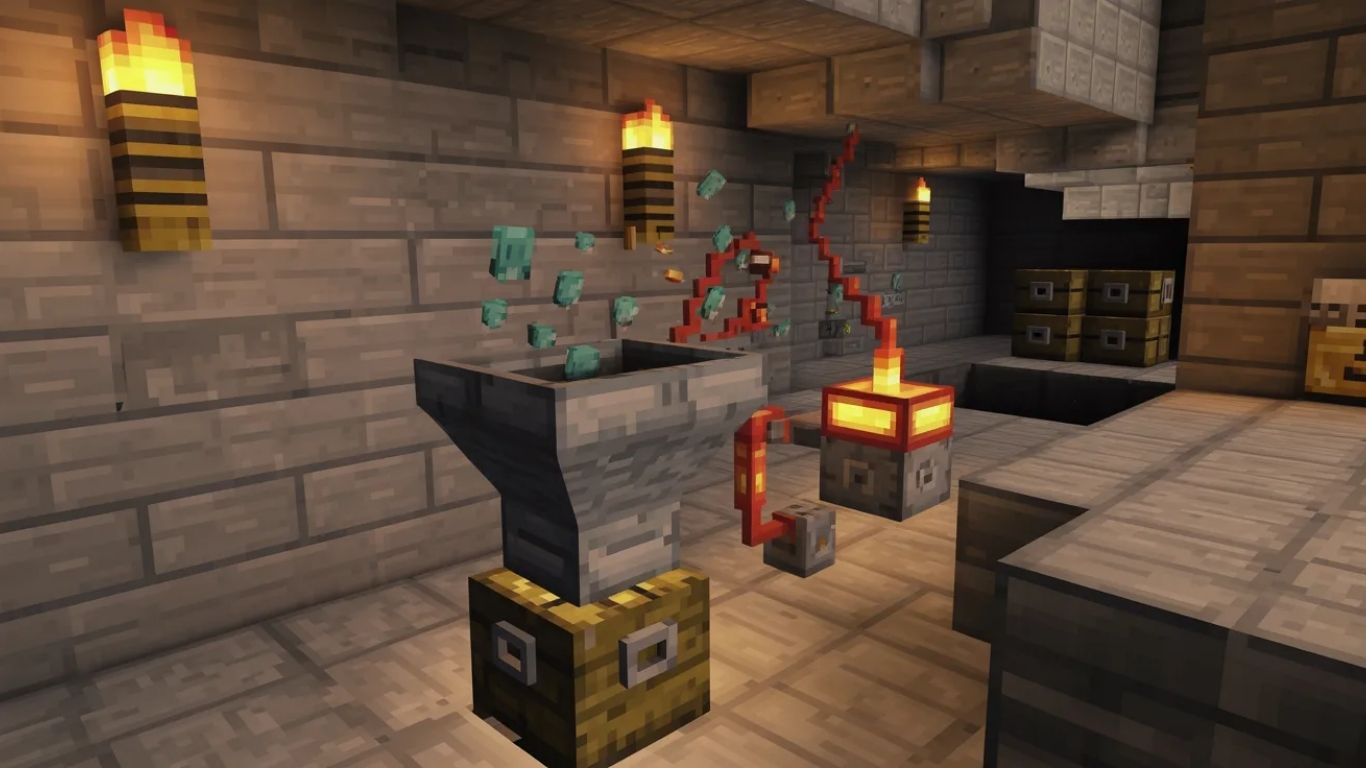
Here are some helpful tips:
-
Use fewer hopper chains to reduce lag
-
Use water streams for long-distance transport
-
Label storage chests for organization
-
Combine with redstone for automation
These tricks help you build smarter systems.
Advanced Hopper Automation Ideas
Once you master the basics, you can try advanced builds.
Examples include:
-
Automatic brewing stations
-
Super smelters
-
Auto fish farms
-
Automatic crop collectors
-
Item filters
These systems turn your base into a fully automated factory.
And honestly, that’s where the real fun of Minecraft begins.
Conclusion
So, how do you use hoppers in Minecraft? The answer is simple: they automatically move items between blocks, containers, and machines. But their real power comes from automation.
From simple chest transfers to complex sorting systems and automatic farms, hoppers allow players to build efficient worlds where items move on their own.
Think of them as the invisible workers of your Minecraft base—quietly moving items, organizing resources, and keeping everything running smoothly.
Once you start experimenting with hoppers, you’ll quickly realize they are one of the most powerful blocks in the game.
FAQs
1. How do you use hoppers in Minecraft to move items automatically?
Place a hopper pointing into a container like a chest or furnace. Items placed inside the hopper will automatically transfer into that container.
2. Can hoppers collect items from the ground?
Yes. Hoppers can pick up items dropped directly above them and move them into connected containers.
3. How do you connect hoppers together?
Place one hopper facing into another hopper. Items will move along the chain until reaching the final container.
4. Why is my hopper not working in Minecraft?
Your hopper may be facing the wrong direction, blocked by another container, or locked by a redstone signal.
5. Can hoppers work with furnaces automatically?
Yes. You can place hoppers on top, side, and bottom of a furnace to automatically input materials, add fuel, and collect smelted items.
For More Visit: Thecelebrities


